Managing several AC chargers remotely is less about watching a map and more about spotting small problems before drivers do. How to monitor multiple AC charging units remotely starts with a shared platform that reports each unit’s status, energy use, connector availability, and fault alerts. A site manager should be able to see that one charger is offline, another is delivering power, and a third has not sent data for an unusual length of time. Clear timestamps matter. So do alerts that name the affected charger, rather than vague messages that send staff searching across a parking lot.
A useful principle comes from quality-management expert W. Edwards Deming: “Without data, you’re just another person with an opinion.” Applied to charger operations, that means checking readings against real site conditions, not trusting a dashboard blindly. For example, compare a reported session with the charger’s meter data and the driver’s account. Simple, but important. Remote monitoring can also reveal repeated resets, uneven usage, or a connector that regularly fails to start sessions. These signals help teams prioritize inspections and plan maintenance. They do not replace physical checks. A network can look healthy while a damaged cable sits unnoticed.
The guide will examine platform selection, charger connectivity, alert setup, and practical troubleshooting. It will also cover data security and access controls, since operational visibility should not mean unrestricted access. No dashboard is perfect. Teams should review false alerts and missed faults, then adjust their process. That is where monitoring becomes useful.
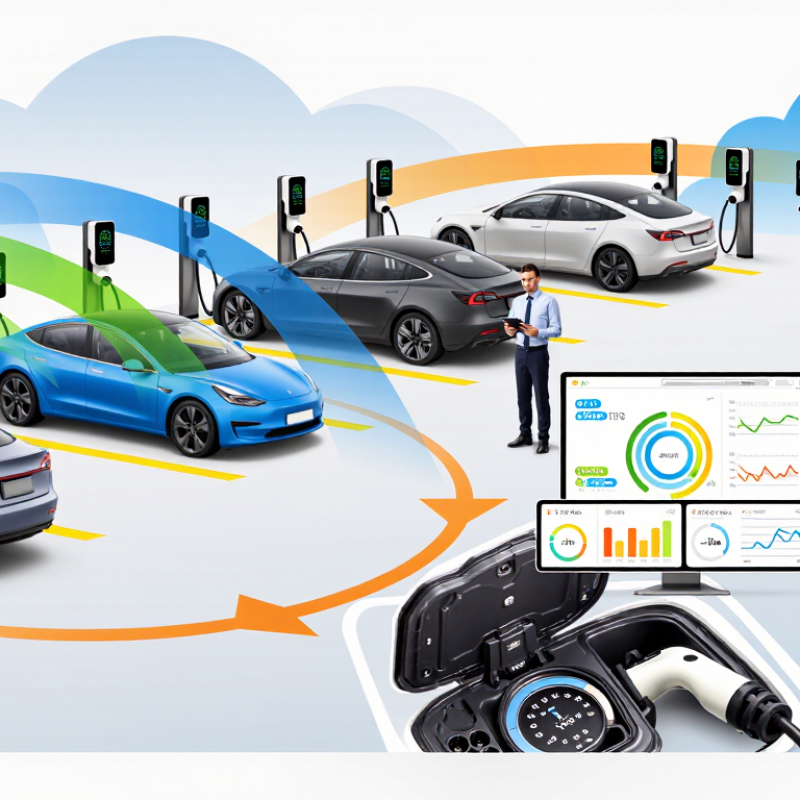
Remote monitoring means seeing each AC charger’s live status, not merely its total energy use. A site dashboard can show whether units are online, occupied, charging, or reporting faults. Session records add start times, duration, delivered kilowatt-hours, and failed attempts. The IEA’s Global EV Outlook 2024 reports that public charging points exceeded four million worldwide in 2023, rising by more than 40% in one year. That growth makes clear, comparable charger data increasingly useful.
For a multi-charger site, operators can group units by location and compare their availability, power draw, and fault history. Alerts can flag a charger that stops communicating or repeatedly ends sessions early. A site meter also helps reveal whether simultaneous charging is nearing the building’s capacity. Remote tools may support power sharing across chargers, but settings need to match the electrical design. A dashboard cannot replace an on-site inspection.
Still, “online” does not always mean usable. A charger may send a heartbeat while its cable, screen, or payment flow has a problem. Reviewing session failures alongside fault codes can expose that gap. IEA data describes infrastructure growth, not charger reliability at each site. Local checks remain necessary. Data can be messy, too: clocks drift, and users may unplug before a session ends. Operators should review exceptions, not trust a green status light alone.
Illustrative monitoring snapshot for a multi-charger site. A remote platform can combine live charger status, charging-session data, connectivity, alerts, and available operator actions in one view.
| Site | Charger ID | Connector | Rated AC Power | Live Status | Live Power | Energy Today | Network | Last Heartbeat | Alert / Remote Action |
|---|---|---|---|---|---|---|---|---|---|
| North Garage | AC-01 | Socket 1 | 22 kW | Charging | 11.0 kW | 34.6 kWh | Online · Ethernet | 10:42:18 | No active alert |
| North Garage | AC-02 | Socket 1 | 22 kW | Available | 0 kW | 18.2 kWh | Online · Wi-Fi | 10:42:11 | Ready for a new session |
| East Lot | AC-03 | Socket 1 | 11 kW | Charging | 7.2 kW | 21.8 kWh | Online · Cellular | 10:42:05 | No active alert |
| East Lot | AC-04 | Socket 1 | 7.4 kW | Faulted | 0 kW | 6.3 kWh | Online · Cellular | 10:41:57 | Connector temperature warning · Inspect on site |
| West Office | AC-05 | Socket 1 | 22 kW | Charging | 16.4 kW | 42.1 kWh | Online · Ethernet | 10:42:14 | No active alert |
| West Office | AC-06 | Socket 1 | 11 kW | Available | 0 kW | 12.7 kWh | Offline · Last known Wi-Fi | 10:27:43 | Heartbeat missing · Check network connection |
Track availability, connector state, active sessions, heartbeat times, and fault codes. An online status alone can hide a connector problem.
Record live power in kilowatts, session energy in kilowatt-hours, and cumulative meter readings. Check the measurement interval and meter source.
Compare chargers over the same period. Look for sudden drops, long sessions, or totals that do not match reported use. Small gaps matter.
Set alerts for offline chargers, repeated faults, interrupted sessions, and unusually low power during charging. Review thresholds after observing normal site activity.
Compare completion rates, energy delivered, fault frequency, and availability across consistent periods. Similar days help, but maintenance visits and site disruptions need context.
Review the last connection time, error history, and recent session details. If supported, use approved reset or configuration tools and record each change.
Ask a driver or site contact to check the connector and indicator light. Remote data helps, but it can be stale. That is easy to miss.
Possibly, but it may serve a quieter parking area. I might read low usage as a fault too quickly, so compare it with site conditions.
Monitoring multiple AC EV chargers remotely involves connecting each unit to a central platform so operators can view and manage an entire charging network from one place. Chargers can communicate through a network connection and report their operating status and energy use. After setup, operators can organize chargers by location, configure basic settings, and assign user access according to each person’s responsibilities.
A practical guide to How to monitor multiple AC charging units remotely explains which data to track, such as charger availability, charging sessions, energy consumption, and connection status. It also covers setting alerts for faults or unusual activity, reviewing reports to understand usage patterns, and using remote troubleshooting tools to diagnose common issues. Together, these capabilities help operators respond more quickly, keep chargers running reliably, and make informed decisions about network performance.

 Walnut Charger